Estimated Delivery CSS Customization (V4)
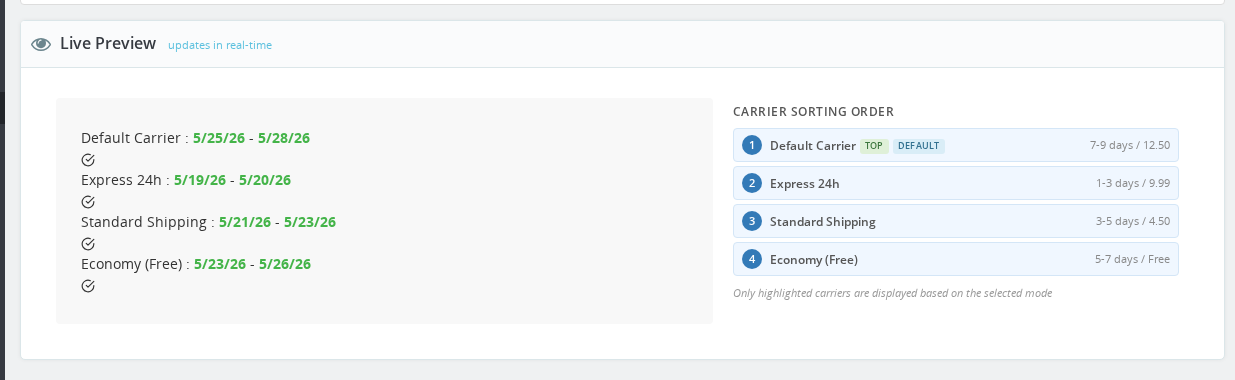
The Display Builder handles the most common styling needs, but the Custom CSS field at the bottom of the Design sidebar gives you full control. Paste any snippet from this gallery, save, and reload your product page to see the result.
🎨 Design Gallery
22 copy-paste CSS effects — from subtle accents to bold gradients, neon glow, and gold foil. Each one works by pasting directly into Back Office → Modules → Estimated Delivery → Design → Custom CSS.
Design 1: Aurora Borealis
GradientAn animated gradient background sweeps through purple, teal, and blue — giving your delivery widget a living, premium feel that draws the eye.
/* Aurora Borealis — animated gradient cycling purple → teal → blue */
@keyframes ed-aurora {
  0%   { background-position: 0% 50%; }
  50%  { background-position: 100% 50%; }
  100% { background-position: 0% 50%; }
}

.estimateddelivery.ed-v4 {
  background: linear-gradient(135deg, #7b2ff7, #00d4aa, #2196f3, #7b2ff7);
  background-size: 300% 300%;
  animation: ed-aurora 6s ease infinite;
  border: none;
  border-radius: 10px;
  color: #ffffff;
  box-shadow: 0 4px 20px rgba(123, 47, 247, 0.4);
}

.estimateddelivery.ed-v4 .ed-date {
  color: #ffffff;
  font-weight: 900;
  text-shadow: 0 0 12px rgba(255, 255, 255, 0.8);
}

.estimateddelivery.ed-v4 .ed-display-text {
  color: rgba(255, 255, 255, 0.9);
}
Design 2: Sunset Horizon
GradientWarm coral-to-golden gradient reads as urgency and warmth — perfect for summer sales or fashion stores wanting an energetic vibe.
/* Sunset Horizon — coral → orange → golden left-to-right gradient */
.estimateddelivery.ed-v4 {
  background: linear-gradient(90deg, #ff6b6b, #ffa500, #ffd700);
  border: none;
  border-radius: 8px;
  color: #1a1a1a;
  box-shadow: 0 4px 16px rgba(255, 107, 107, 0.35);
}

.estimateddelivery.ed-v4 .ed-date {
  color: #1a1a1a;
  font-weight: 900;
}

.estimateddelivery.ed-v4 .ed-display-text {
  color: #3a1a00;
}
Design 3: Ocean Deep
GradientA radial gradient from deep navy to rich blue wraps the widget in depth, with the date glowing in bright cyan — commanding and trustworthy.
/* Ocean Deep — radial gradient navy center to deep blue edges */
.estimateddelivery.ed-v4 {
  background: radial-gradient(ellipse at center, #1e40af 0%, #0a1628 100%);
  border: none;
  border-radius: 10px;
  color: #e0f4ff;
  box-shadow: 0 4px 20px rgba(10, 22, 40, 0.5);
}

.estimateddelivery.ed-v4 .ed-date {
  color: #00d4ff;
  font-weight: 800;
  text-shadow: 0 0 10px rgba(0, 212, 255, 0.7), 0 0 20px rgba(0, 212, 255, 0.4);
}

.estimateddelivery.ed-v4 .ed-display-text {
  color: #e0f4ff;
}
Design 4: Candy Pop
GradientScreaming hot pink to violet diagonal gradient with a neon yellow date — impossibly bold and fun, ideal for youth fashion or toy stores.
/* Candy Pop — hot pink to violet diagonal, neon yellow date */
.estimateddelivery.ed-v4 {
  background: linear-gradient(135deg, #ff2d92, #7c3aed);
  border: none;
  border-radius: 10px;
  color: #ffffff;
  box-shadow: 0 4px 20px rgba(255, 45, 146, 0.4);
}

.estimateddelivery.ed-v4 .ed-date {
  color: #ffef00;
  font-weight: 900;
  text-shadow: 0 0 8px rgba(255, 239, 0, 0.6);
}

.estimateddelivery.ed-v4 .ed-display-text {
  color: rgba(255, 255, 255, 0.9);
}
Design 5: Forest Moss
GradientA deep-green diagonal gradient with a lime left accent border and mint date highlights — earthy, natural, great for organic or eco-friendly brands.
/* Forest Moss — sage to deep green gradient with lime left accent */
.estimateddelivery.ed-v4 {
  background: linear-gradient(135deg, #2d6a4f, #1b4332);
  border: none;
  border-left: 4px solid #52b788 !important;
  border-radius: 8px;
  color: #d8f3dc;
  box-shadow: 0 3px 12px rgba(27, 67, 50, 0.4);
}

.estimateddelivery.ed-v4 .ed-date {
  color: #74c69d;
  font-weight: 800;
}

.estimateddelivery.ed-v4 .ed-display-text {
  color: #d8f3dc;
}⚙️ How It Works
Where to Paste Custom CSS
Go to Back Office → Modules → Estimated Delivery → Design, then scroll to the bottom of the left sidebar. The Custom CSS field writes to views/css/ed_custom.css, which loads after all other module styles — so most rules take effect without !important.
The Display Builder's Live Preview does not render Custom CSS in real time. After saving, reload your product page to see the result.
Never edit the module's source CSS files directly — they are overwritten on every module update.
CSS Variables — The Cleanest Approach
The V4 widget is built around CSS custom properties. Setting a variable on the wrapper element is cleaner than targeting individual child selectors, and survives most layout changes as the module updates.
/* Override colors with variables — no specificity fights */
.estimateddelivery.ed-v4 {
  --ed-bg: #F0FFF0;
  --ed-border-color: #8ED48E;
  --ed-date-color: #00a651;
  --ed-date-weight: bold;
}
Color Variables (on the wrapper)
| Variable | What it controls |
|---|---|
--ed-bg | Widget background color |
--ed-border-color | Border color |
--ed-accent | Accent color used by the Bold style |
--ed-text | Text color (dark themes) |
Per-Element Text Format Variables (on .ed-display)
| Variable | Controls |
|---|---|
--ed-date-color | Date text color |
--ed-date-weight | Date font weight |
--ed-date-style | Date font style (e.g. italic) |
--ed-date-decoration | Date text decoration |
--ed-countdown-color | Countdown timer color |
--ed-countdown-weight | Countdown font weight |
--ed-countdown-style | Countdown font style |
--ed-countdown-decoration | Countdown text decoration |
--ed-carrier-color | Carrier name color |
--ed-carrier-weight | Carrier font weight |
--ed-carrier-style | Carrier font style |
--ed-carrier-decoration | Carrier text decoration |
--ed-price-color | Price color |
--ed-price-weight | Price font weight |
--ed-price-style | Price font style |
--ed-price-decoration | Price text decoration |
The V4 Class System
The Display Builder writes classes directly to the widget wrapper. These classes tell you what the module already handles through the UI — so you know when CSS is needed versus when a setting change is enough.
Root Selector
Every custom CSS rule must be scoped under .estimateddelivery.ed-v4:
/* Correct — scoped to V4 widget */
.estimateddelivery.ed-v4 { … }
.estimateddelivery.ed-v4 .ed-date { … }

/* Product page only */
.estimateddelivery.estimateddelivery-product.ed-v4 { … }
Color Themes
Set by the Display Builder's Color field. You can target a specific theme with these classes:
| Class | Background | Border | Accent |
|---|---|---|---|
ed-color-none | transparent | — | — |
ed-color-white | #ffffff | #e0e0e0 | #666 |
ed-color-blue | #EFF8FF | #7CB9D4 | #2196f3 |
ed-color-red | #FFF0F0 | #E4ACAC | #ef5350 |
ed-color-green | #F0FFF0 | #8ED48E | #4caf50 |
ed-color-purple | #F5F0FF | #B89CD4 | #7e57c2 |
ed-color-brown | #FFF8EC | #D4BC8C | #795548 |
ed-color-yellow | #FFFDE6 | #D4D09C | #ffc107 |
ed-color-orange | #FFF2E0 | #E6853E | #ff9800 |
ed-color-dark | #2C2C2C | #444 | #fff |
ed-color-navy | #1B2A4A | #2D4373 | #fff |
Display Row Style
| Class | Effect |
|---|---|
ed-style-clean | Transparent background |
ed-style-subtle | Very light tint (rgba(0,0,0,0.03)) |
ed-style-card | Transparent, shadow carries the depth |
ed-style-outlined | Border-focused row |
ed-style-bold | Accent-color background, white text |
Layout (.ed-display)
| Class | Description |
|---|---|
ed-layout-inline | Icon and text in one horizontal line |
ed-layout-icon-left | Icon to the left, text block next to it |
ed-layout-stacked | Icon above, text below |
ed-layout-text-only | No icon |
ed-layout-banner | Full-width strip layout |
Border, Corners, Shadow, Spacing, Font Size, Margin
| Group | Classes |
|---|---|
| Border style | ed-border-none ed-border-simple ed-border-dashed ed-border-double |
| Border width | ed-bw-thin ed-bw-normal ed-bw-thick |
| Border position | ed-bp-all ed-bp-left ed-bp-top ed-bp-topbottom |
| Corners | ed-corners-sharp (0px) ed-corners-soft (4px) ed-corners-round (8px) ed-corners-pill (20px) |
| Shadow | ed-shadow-none ed-shadow-light ed-shadow-elevated ed-shadow-floating |
| Spacing | ed-spacing-tight ed-spacing-comfortable ed-spacing-spacious |
| Font size | ed-fs-small (12px) ed-fs-medium (14px) ed-fs-large (16px) |
| Margin | ed-margin-flush ed-margin-snug ed-margin-normal ed-margin-roomy |
V3 → V4 Selector Migration
If you have CSS from a V3 installation, those selectors no longer match. Replace them using this table:
| V3 selector (broken) | V4 replacement |
|---|---|
.ed_delivery_wrapper | .estimateddelivery.ed-v4 |
.date_green | .estimateddelivery.ed-v4 .ed-date or --ed-date-color |
.ed_countdown | .estimateddelivery.ed-v4 .ed-countdown or --ed-countdown-color |
.ed_carrier_name | .estimateddelivery.ed-v4 .ed-carrier or --ed-carrier-color |
.carrier_price | .estimateddelivery.ed-v4 .ed-price or --ed-price-color |
.ed_delivery_text | .estimateddelivery.ed-v4 .ed-display-content |
📋 Quick Reference Snippet
Drop this into the Custom CSS field to see every overridable variable in one place. Uncomment and fill in the values you want:
.estimateddelivery.ed-v4 {
  /* Background and borders */
  /* --ed-bg: #F0FFF0; */
  /* --ed-border-color: #8ED48E; */
  /* --ed-accent: #00a651; */

  /* Date */
  /* --ed-date-color: #00a651; */
  /* --ed-date-weight: bold; */
  /* --ed-date-style: normal; */
  /* --ed-date-decoration: none; */

  /* Countdown timer */
  /* --ed-countdown-color: #e53935; */
  /* --ed-countdown-weight: bold; */

  /* Carrier name */
  /* --ed-carrier-color: #333333; */
  /* --ed-carrier-weight: normal; */

  /* Price */
  /* --ed-price-color: #00a651; */
  /* --ed-price-weight: bold; */
}
🛠 Common Customizations
Hide a specific element
/* Hide the carrier name */
.estimateddelivery.ed-v4 .ed-carrier {
  display: none;
}

/* Hide the price */
.estimateddelivery.ed-v4 .ed-price {
  display: none;
}

/* Hide the countdown */
.estimateddelivery.ed-v4 .ed-countdown {
  display: none;
}
Animate the countdown
@keyframes ed-pulse {
  0%, 100% { opacity: 1; }
  50% { opacity: 0.6; }
}

.estimateddelivery.ed-v4 .ed-countdown {
  animation: ed-pulse 2s ease-in-out infinite;
}
Responsive adjustments
@media (max-width: 768px) {
  .estimateddelivery.ed-v4 {
    font-size: 13px;
    padding: 6px 10px;
  }
}
Target only the product page widget
.estimateddelivery.estimateddelivery-product.ed-v4 {
  --ed-date-color: #e63946;
}
🔍 Troubleshooting
| Problem | Solution |
|---|---|
| CSS has no effect | Check that you are targeting .estimateddelivery.ed-v4, not old V3 selectors like .ed_delivery_wrapper |
| Styles appear in DevTools but not on the page | Clear PrestaShop cache (Advanced Parameters → Performance → Clear cache) and force-reload the browser (Ctrl+Shift+R) |
| Color variable set but element color unchanged | Some child elements inherit the text color from the theme rather than the widget. Target the element directly: .estimateddelivery.ed-v4 .ed-date { color: … } |
!important needed | Only required when the theme applies styles with higher specificity. As a fallback, add !important to the specific property — not the whole block |
| Custom CSS field is empty after saving | Ensure the Display Builder config was saved successfully. Check that views/css/ed_custom.css exists and is writable by the web server |
| Widget looks different on mobile | Add a @media (max-width: 768px) block with adjusted font-size and padding values |
| Frosted glass / backdrop-filter not showing | backdrop-filter requires a non-transparent background behind the widget. Firefox users need to enable it manually in about:config |
Related
- Display Builder — the visual controls that generate these classes
- Custom Warehouses — per-warehouse delivery rules that affect what dates are shown
Need Help?
Why is my old CSS not working after a module update?
The V4 widget uses a completely different HTML structure and class names compared to previous versions. Selectors like .ed_delivery_wrapper, .date_green, .ed_countdown, and .ed_carrier_name no longer exist. Replace them with the V4 equivalents: .estimateddelivery.ed-v4, .ed-date, .ed-countdown, and .ed-carrier. See the V3 → V4 migration table in this guide.
Do I need !important for custom CSS to work?
No, for most rules. The Custom CSS field writes to ed_custom.css which loads last, after all module stylesheets. Rules written there override module defaults without !important. You only need !important if your theme applies styles with higher specificity — for example, if your theme targets .product-page .estimateddelivery rather than .estimateddelivery alone.
Can I use CSS variables to change the date color without affecting other text?
Yes — that is exactly what they are for. Set --ed-date-color on .estimateddelivery.ed-v4 and only the date element picks it up. Other text elements like the carrier name and price have their own variables (--ed-carrier-color, --ed-price-color) and are unaffected.
Where is the Custom CSS field? I cannot find it.
Go to Back Office → Modules → Estimated Delivery → Configure, then open the Design tab. Scroll to the bottom of the left sidebar — the Custom CSS textarea is at the very bottom of the settings panel, below the typography options.
Can I target the widget only on product pages, not the cart?
Yes. The wrapper element has a context class added automatically: estimateddelivery-product on product pages and estimateddelivery-cart on cart pages. Scope your CSS like this: .estimateddelivery.estimateddelivery-product.ed-v4 { } to apply styles only to the product page widget.